04. Fire Laser Bullets

Update _init to have a table to hold information about all of the bullets.
Now add a fire function right after _init. It creates a new bullet and add
it to the bullets table.
sp is the sprite to display. x and y indicate where to display the ship on the screen. dy is how far to move the bullets up the screen on each frame.
Bullets move after being fired. Add the code to do that in _update.
We will need a way to trigger the firing of a bullet. Add this if statement at the end of _update. It will cause a bullet to fire if you press X.
Note: We use btnp instea of btn to limit the rate of firing.
Let's display the bullets.
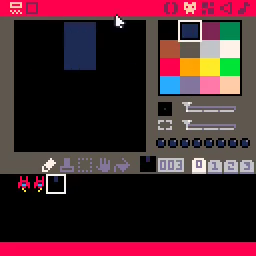
Finally, let's actually create the bullet sprite so we have something to draw!
Hit ctrl-r to run the game and then press X a few times. You should see something like this.
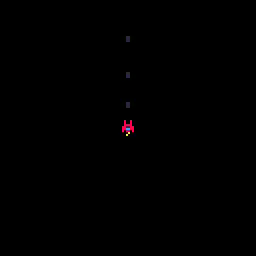
Don't get carried away and fire too many! The code we wrote in this step has a fatal flaw. It never forgets about any of the bullets that have been fired. As bullets are fired an ever increasing amount of memory is consumed. It will also take an ever increasing amount of time to update the position of the bullets and draw them. Taken to the extreme, it has the potential to crash the game or make it unplayable.
This isn't a safe play to remain so we will address this in the next step.